
Configure Torevo • Zasilkovna
Connect Zásilkovna Czechia, map Shopify shipping methods and validate Czech pickup points, labels and tracking.
- Type
- Standalone Shopify app
- Status
- Available by arrangement
- Last updated
- 9 August 2026
- Markets
- CZ
- Access
- Access arranged with Torevo
On this page
Torevo • Zasilkovna is a standalone Shopify app for Czech shipping workflows. It has its own installation, subscription, runtime, database, provider account and configuration. It shares only the Torevo Shipping technical foundation with the Packeta SK app.
“Zásilkovna” identifies compatibility with the carrier service. Torevo does not claim an official partnership unless it is separately confirmed in writing.
See the workflow in Shopify
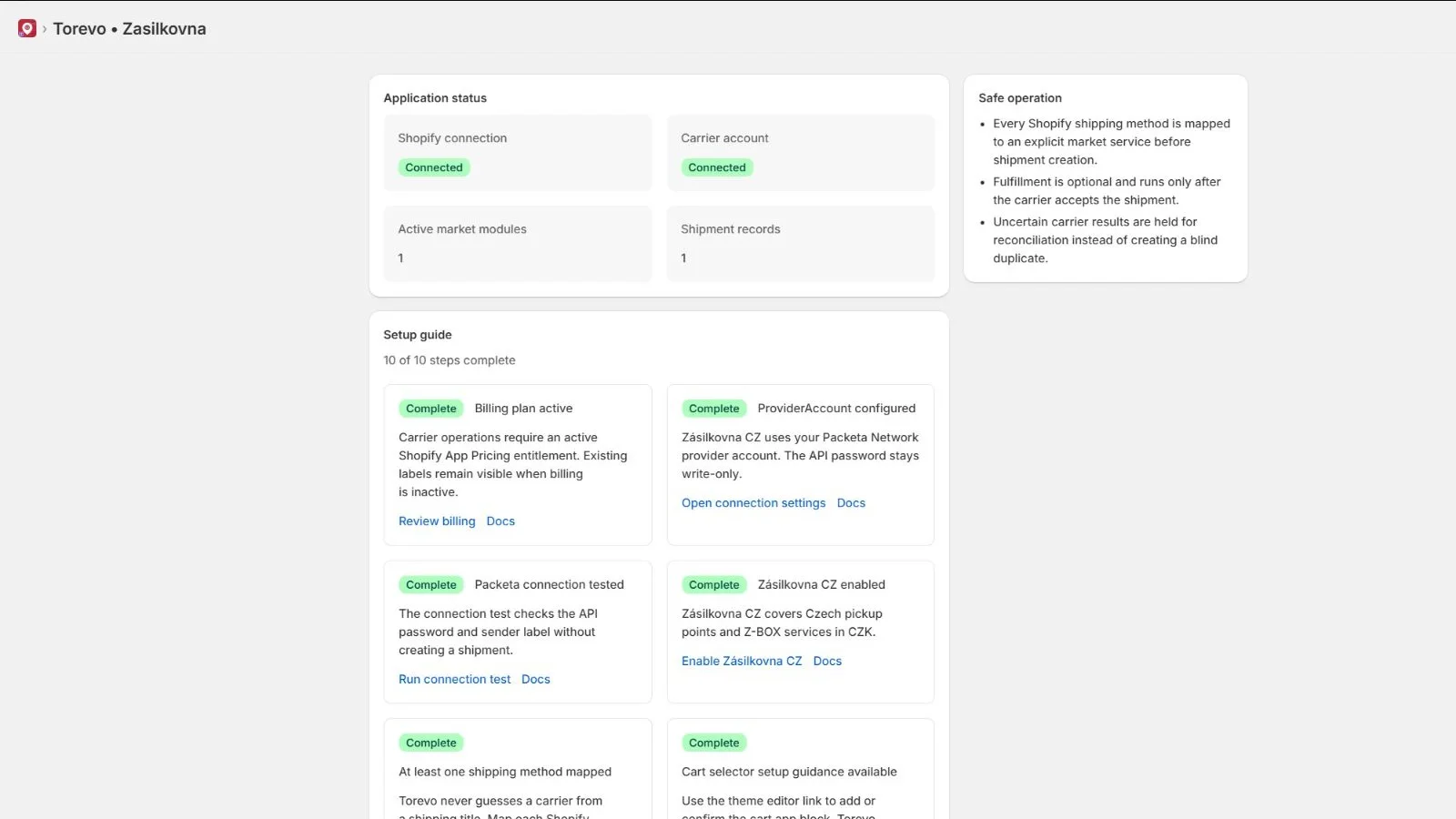
The dashboard keeps the Shopify connection, subscription, provider account, Czech profile, delivery mappings and customer surfaces in one checklist. Create the first shipment only after all ten steps are complete.
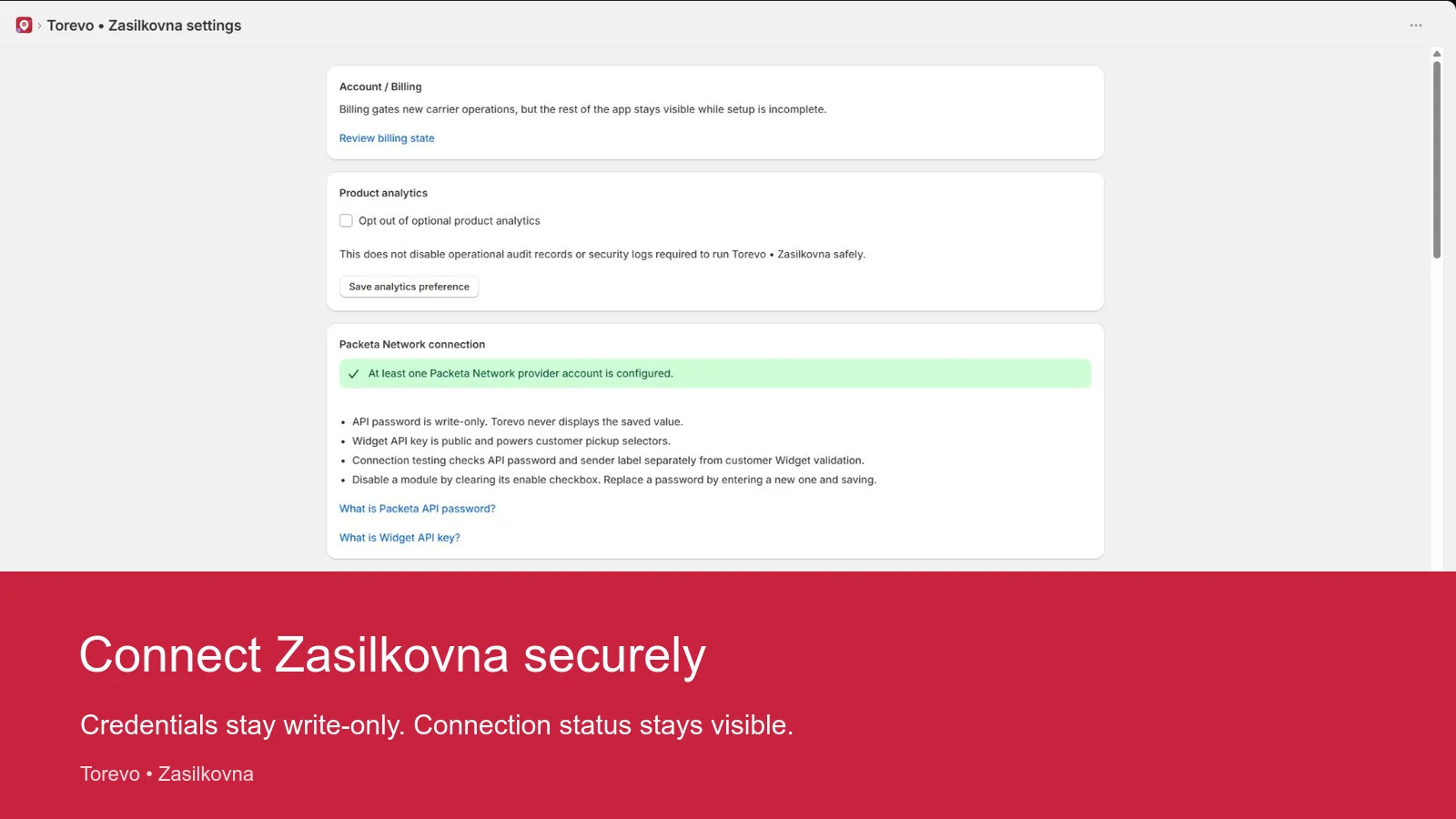
Settings separate the write-only private API password from the public Widget API key. The saved password is never displayed again while credential, sender and widget verification results remain visible.
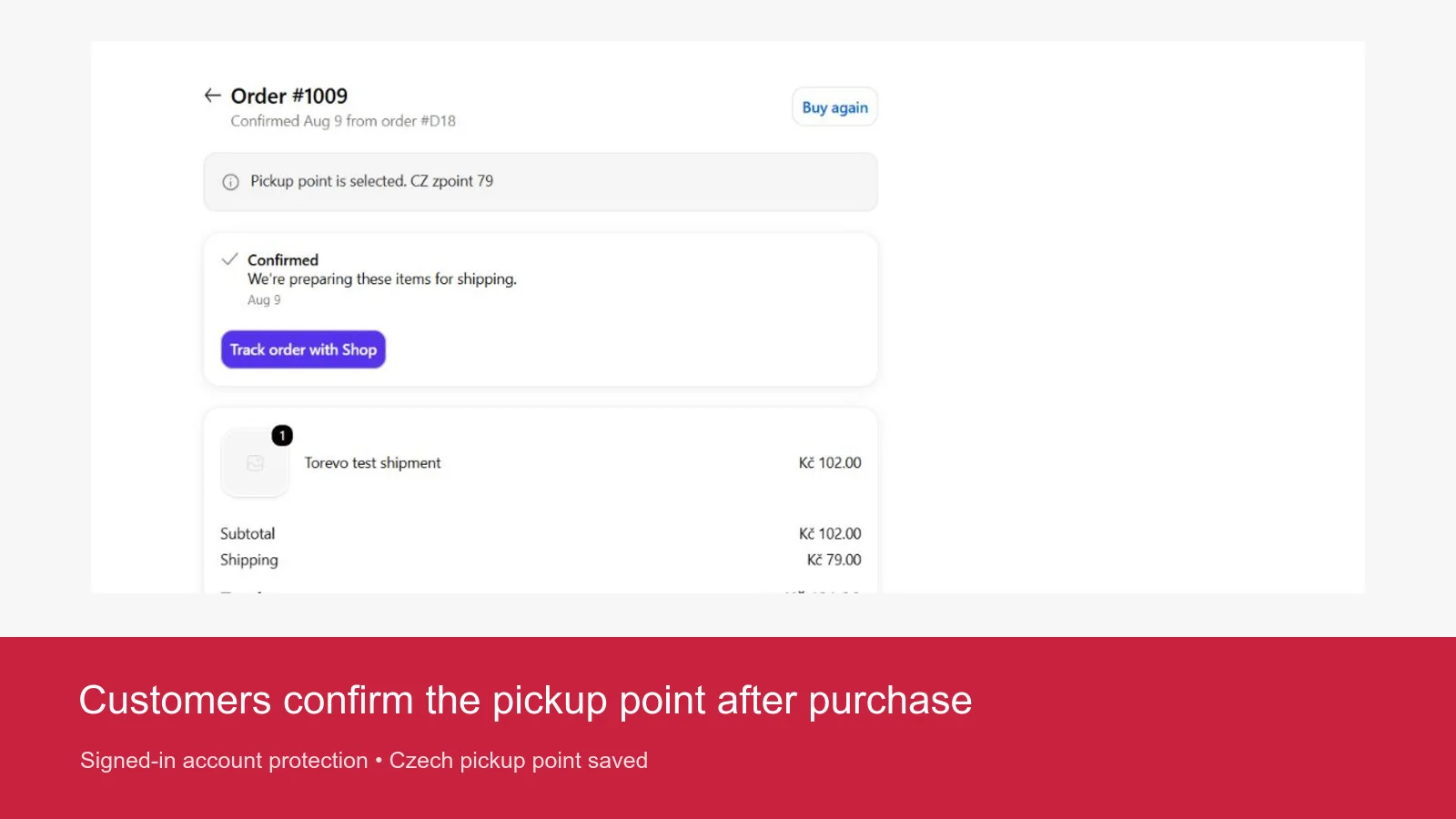
A signed-in customer can confirm the Czech pickup point from the order detail. The server verifies that the user owns the order and revalidates the selection with the provider before shipment creation.
What you need from Zásilkovna
Open the Packeta Network Client Section and prepare:
- the private 32-character API password for server operations,
- the public 16-character Widget API key for customer pickup selection,
- the exact sender label shown in the sender settings,
- an account enabled for the Czech services you plan to offer.
Zásilkovna does not provide a separate sandbox. A dedicated test account still uses the production API. Never hand a test packet to the carrier. Cancel it after verifying the label and tracking state.
A provider account or configuration saved in Torevo • Packeta SK is not available in Torevo • Zasilkovna. Each app keeps its own encrypted provider credentials and mappings.
Connect and verify the account
- Open Torevo • Zasilkovna → Settings.
- Enter an internal account label, API password, Widget API key and exact sender label.
- Keep Zásilkovna Czechia enabled and save the settings.
- Select Validate Zásilkovna Czechia connection.
Credentials, sender and Widget configuration are reported separately. Fix a failed item before mapping delivery methods or creating a shipment.
Map Czech services
Create an explicit mapping from each Czech Shopify shipping title to the selected Zásilkovna service. Keep internal pickup points and Z-BOX mappings distinct where the store offers both.
Do not infer a service from a translated or abbreviated shipping title. If the title changes, Torevo blocks preparation until the merchant updates the mapping.
Configure the pickup selector
In Online Store → Themes → Customize, add the Torevo pickup-selector app block to the cart template. The installed app supplies its Czech profile automatically. Neither the merchant nor the customer chooses a provider or country. Confirm that the selected destination remains stable through cart updates.
Test these cases:
- a Czech internal pickup point,
- a Czech Z-BOX,
- continuing without a required point,
- a Slovak point supplied to the Czech app,
- a stale or invalid pickup-point identifier,
- Czech, Slovak and English customer-extension copy.
The server revalidates the country and point before shipment creation. A cross-market selection must fail safely.
Verify the first shipment
Use a synthetic order with a Czech destination, recipient contact, known weight, Czech pickup point and mapped delivery method. In Orders, review payment, service, pickup destination, recipient readiness and sender before selecting Prepare shipment.
After confirmation, open the shipment detail and verify:
- exactly one remote shipment was created,
- the PDF can be downloaded again and the configured ZPL flow works,
- tracking refresh identifies the same shipment,
- Shopify fulfilment changes only after explicit confirmation,
- timeline, retry and unknown-outcome reconciliation remain safe,
- the synthetic shipment is cancelled before physical handover.
What the other app pages do
| Page | Purpose |
|---|---|
| Batches | Prepares multiple selected orders and reports each item separately. |
| Missing pickups | Lists orders where the customer or merchant must safely supply a destination. |
| Shipments | Provides the label, tracking, fulfilment, cancellation and event detail. |
| Operations | Shows queue, worker and webhook health plus a diagnostic bundle without personal data. |
| Billing | Displays the canonical plan state confirmed and charged by Shopify. |
| Settings | Manages the account, profile, services, mappings, COD, labels, automation and customer surfaces. |
Safe operations
- The Czech app configuration remains isolated from the Packeta SK app.
- Reconcile an unknown provider outcome before retrying.
- Rotate credentials without deleting historic shipment snapshots needed for label and tracking recovery.
- Treat currency or service combinations not listed by the app as unsupported until validated.
- Send only safe IDs, timestamps and error codes to support.